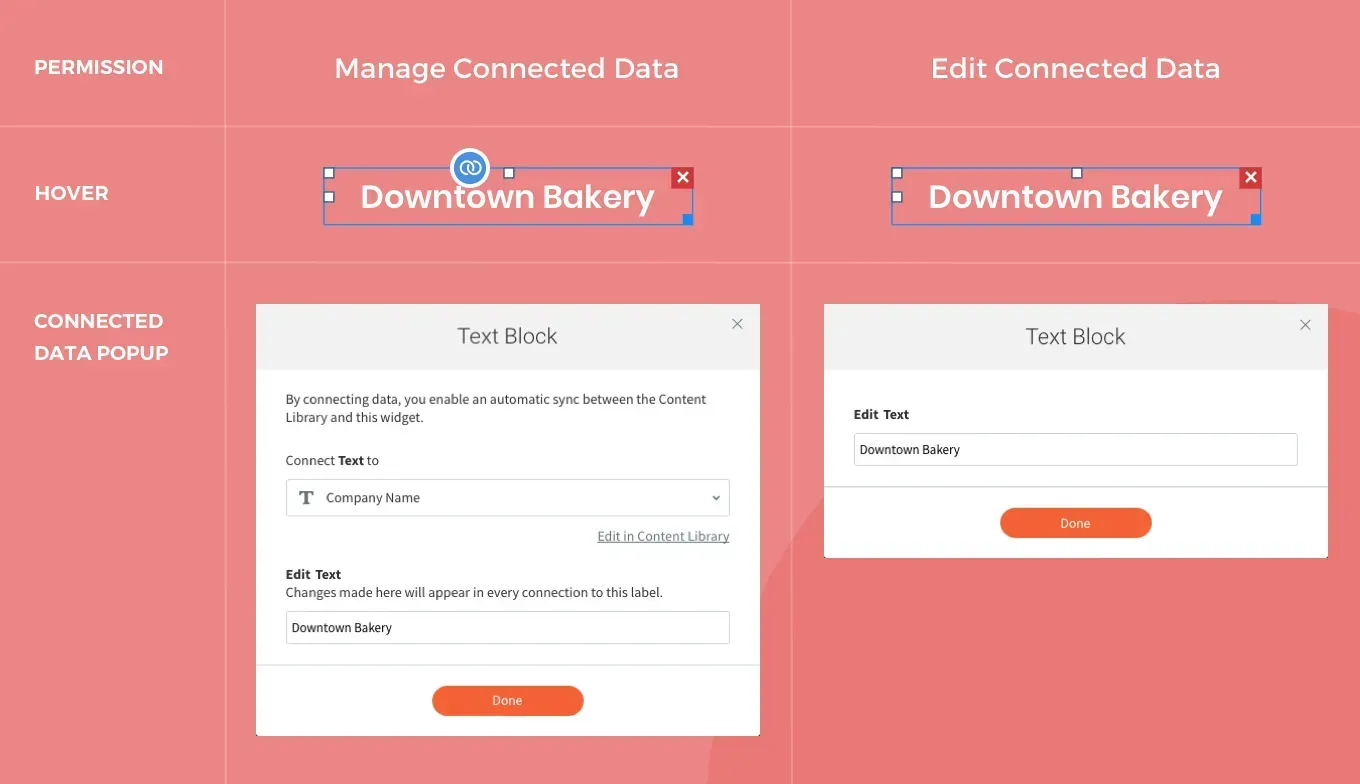
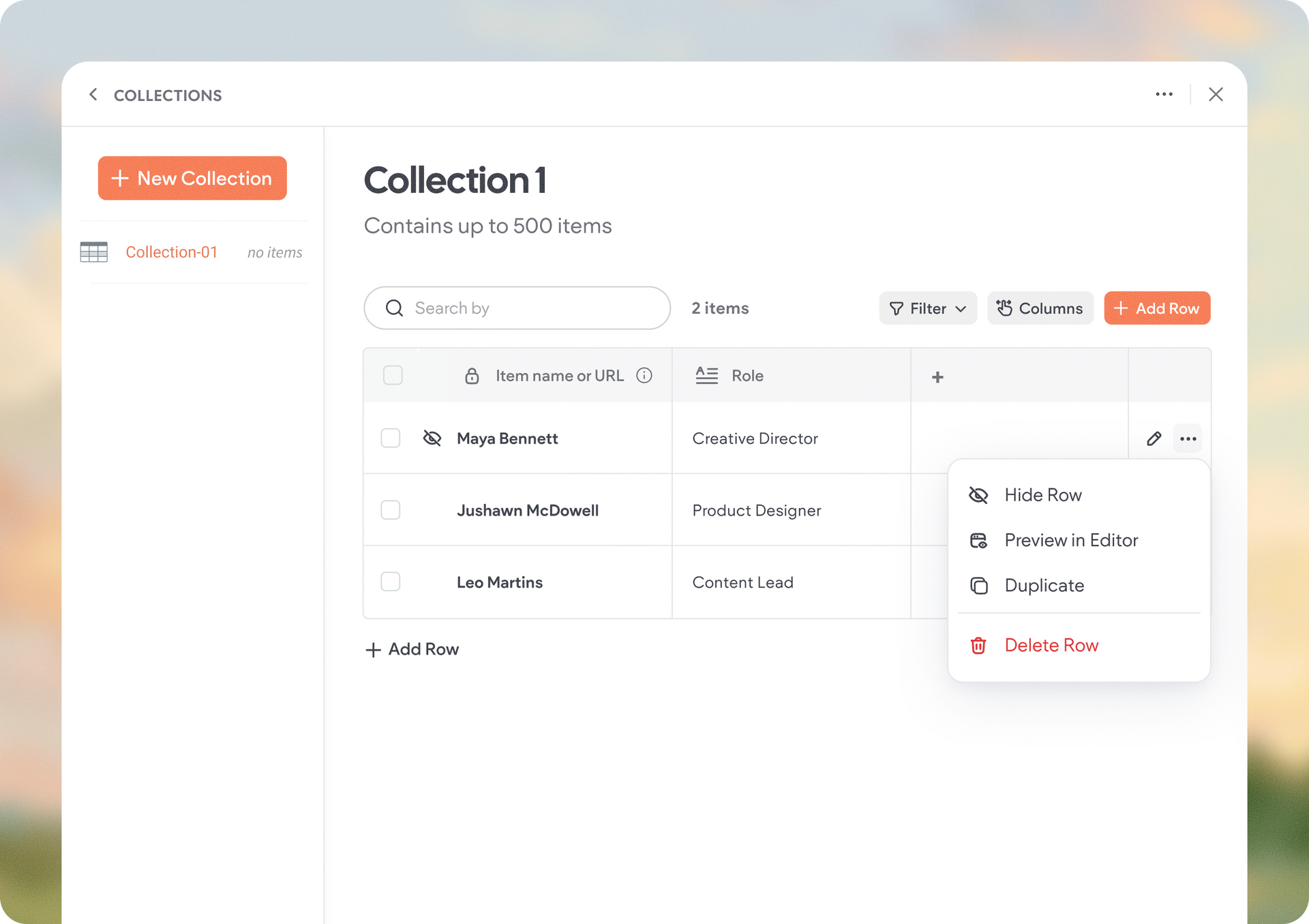
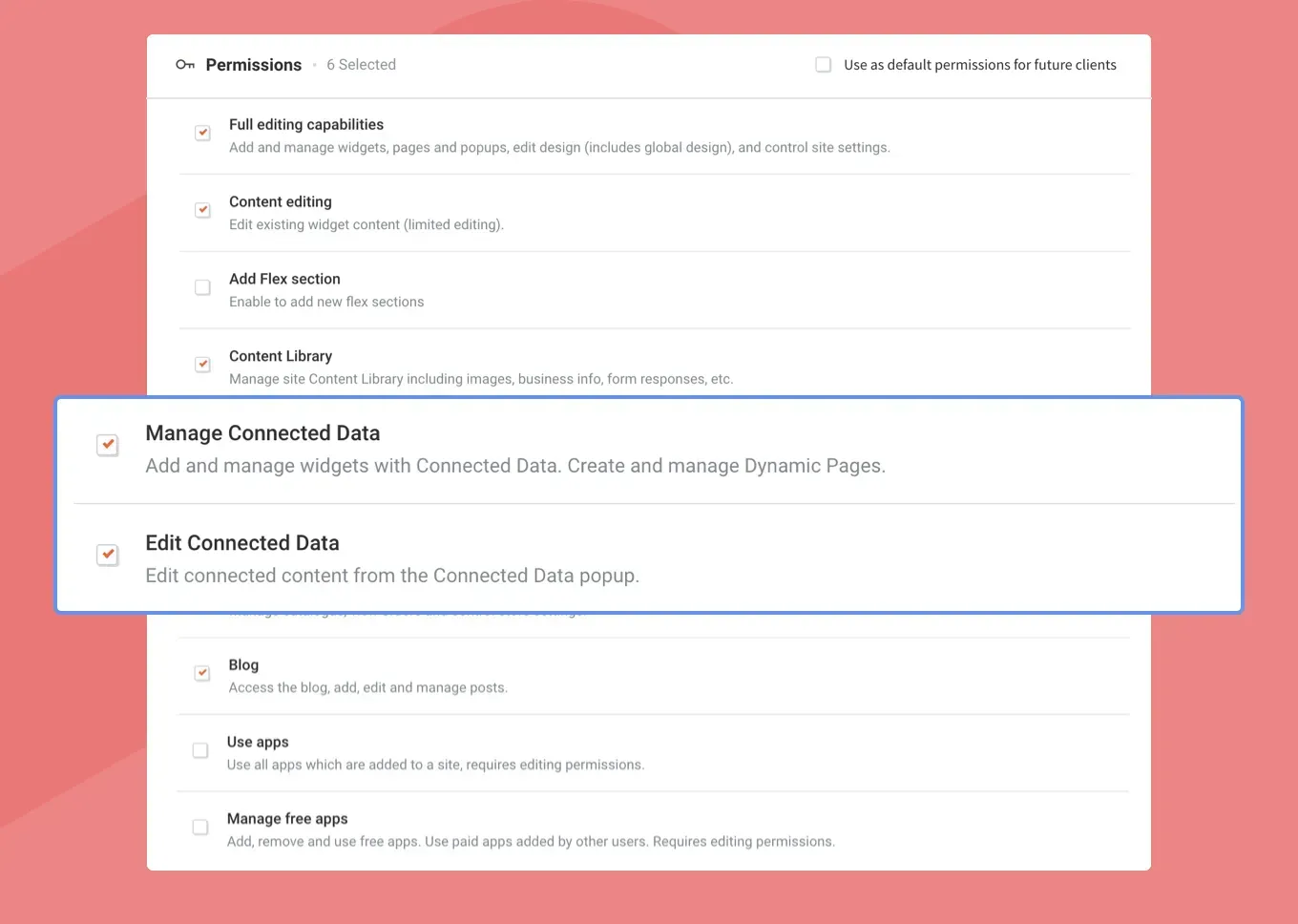
You’ve got more control and flexibility when it comes to who can access Connected Data and what they can do with it with two new Permissions: Manage Connected Data and Edit Connected Data. Existing clients are not affected by this change, and will have the same access as they did before. 

With more agencies using Connected Data to build sites at scale, the need to control which clients can access Connected Data has grown. To make it easier for you to manage your clients and websites, new permissions give you granular control over what your clients can (and cannot) access.

Manage Connected Data


This new permission gives client access to Connected Data and the Content Library, as well as full editing capabilities. It’s the same level of access that was previously available in the Full Editing permission. With it, and in addition to full editing, clients can: 


  1. Connect widgets
  2. Create and disconnect Dynamic Pages
  3. Edit connected data


Edit Connected Data


This new permission only allows clients to edit data in widgets that are connected to the Content Library. 


It does not allow clients to change (add or remove) the connection, nor does it allow them to access the Content Library.


Full Editing: Updated Permission


This permission no longer includes access to Connected Data or to the Content Library. If you want clients to have access to the Content Library, give them the Content Library permission. 


For more about Client Permissions, see this.

August 15, 2021
Inbar Amir

 • 

New Connected Data Permissions: Manage & Edit Data

Stay in the Loop with Duda Updates

Sign up to get feature releases, tools, and more to your inbox.

Latest product updates

Website editor showing a “Private Tennis Class” page with a tennis-court photo on the right.
By Yanir Moskovitz May 12, 2026
Discover a new way to update dynamic content without leaving your design environment.
Whiteboard app with a sticky note prompt and a dropdown menu open for text style options
By Annat Katz May 6, 2026
A new plan mode in Copilot for generating widgets, Dynamic Repeater layout settings, stunning new templates, and more.
A product display of four different types of cookies against a light background, with navigation buttons at the top.
By Tal Levi April 30, 2026
Discover a new way to turn ideas into fully functional widgets in real time, right on the canvas.