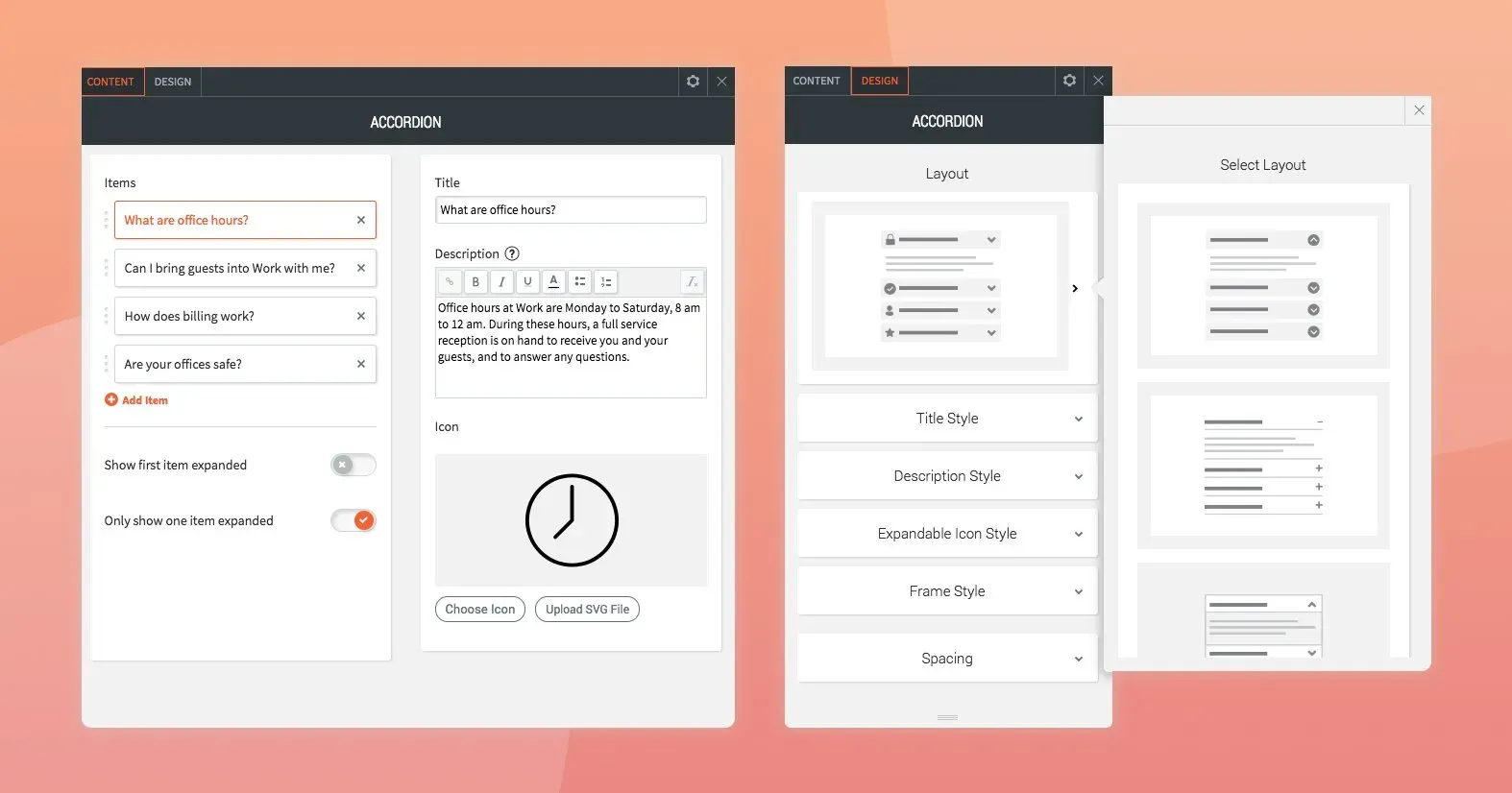
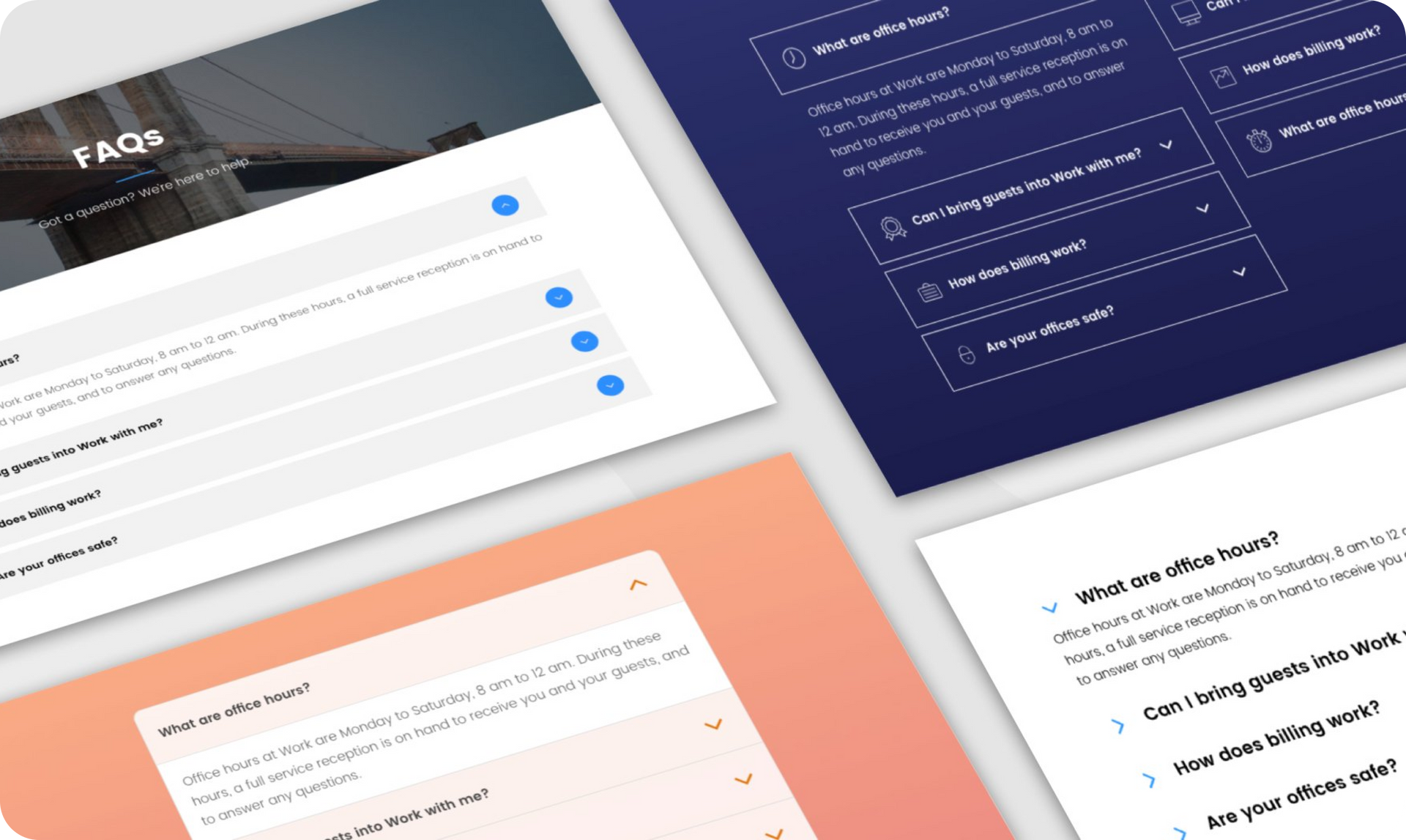
Help site visitors find exactly what they are looking for with the new accordion widget.It’s a space-savvy design element that allows you to organize information on your site, and enables visitors to find more information about the issues they are interested in simply by clicking the relevant title, sentence or question.


The accordion widget is ideal for showing FAQs, product names and descriptions, services, dates and events, and more.


Awesome accordion ideas for your sites


There’s no limit to the number of ways you integrate an accordion widget into your sites. Here’s a few ideas to get you started:


FAQs: A classic way of presenting questions and answers on a site, in minimal space, is via the accordion widget. Answers are revealed in a click, so users see the information they want to see.


Product and services: Show multiple product or service titles on the page; interested users can choose the ones they want to read more.


Pricing plan: Display your pricing table in a nice, digestible manner, with add-ons and explanations visible on click.


Integrating accordion widgets into your sites


You can read more about the accordion widget layouts, icons and display options in the support portal. To get started with it now, open any Duda site and search for accordion in the widget panel.

June 20, 2018
Roni Landau

 • 

Meet the Accordion Widget: A Great Way to Display FAQs, Services and More

Stay in the Loop with Duda Updates

Sign up to get feature releases, tools, and more to your inbox.

Latest product updates

Copilot interface with text input
By Idan Sapir December 12, 2025
Discover a single, seamless experience where you can simply chat to get things done in your account and sites.
Coffee bag with customization options: grind, split, sample; and a
By Mor Zamir December 10, 2025
From pizza toppings to software add-ons, this update is a great new way to personalize products.
A cursor hovers over an
By Rim Elfahem December 8, 2025
Offer clients more ways to get paid for sales and bookings.